Salary payment via the payroll register
To make a payroll payment via register, follow these steps:
1. Request to issue cards for your employees
Go to Letters → Outgoing and click New and compose a letter requesting cards for employees based on the attached register.
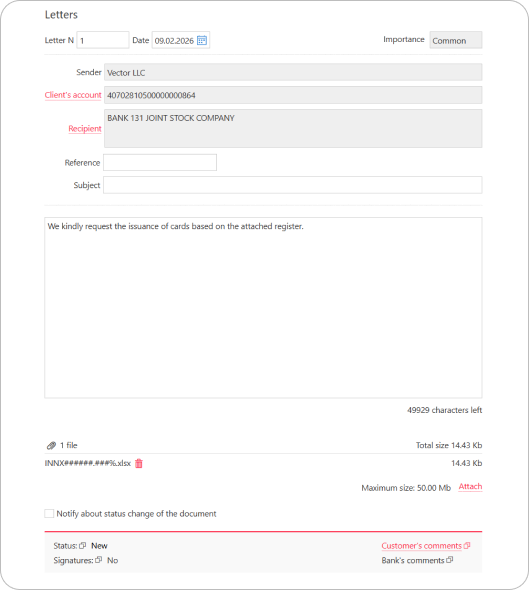
Attach an employee register in the XLS format to the request. The register file name must follow the format INNT######.###%, where:
INN — client's Taxpayer Identification Number (INN)
T — symbol for a card issuance register
###### — register date
### — register sequence number
Example: 7702235133T210126.001.xls
Download card issuance register template
Once the letter status changes to Executed, the Bank will provide you with the card account details for your employees. If any issues are found during register data verification, the letter status will change to Rejected.
2. Prepare and submit a payment order
On the day you create the payroll register, top up the transit account by creating and signing a payment order in Ruble documents → Payment order.
The payment order will be rejected if its amount does not correspond exactly to the amount specified in the payroll register.
3. Submit your payroll register
In the Letters → Outgoing section, click New and compose a letter requesting salary payment according to the attached register.
A payroll can only be processed as a whole. If it is impossible to pay out funds to one of the employees, the entire payroll is rejected.
Attach a payroll register in the XLS format to the request. The register file name must follow the format INNZ######.###%, where:
INN — client's Taxpayer Identification Number (INN)
Z — symbol for a payroll register
###### — register date
### — register sequence number
Example: 7702235133Z210126.001.xls
Download payroll register template
The Bank will process the register and credit the salaries to your employees once the letter status changes to Executed.